 Quicksloth
Simple Wedding Planner spreadsheet for Excel and Google Sheets
Last updated: 13 October 2026
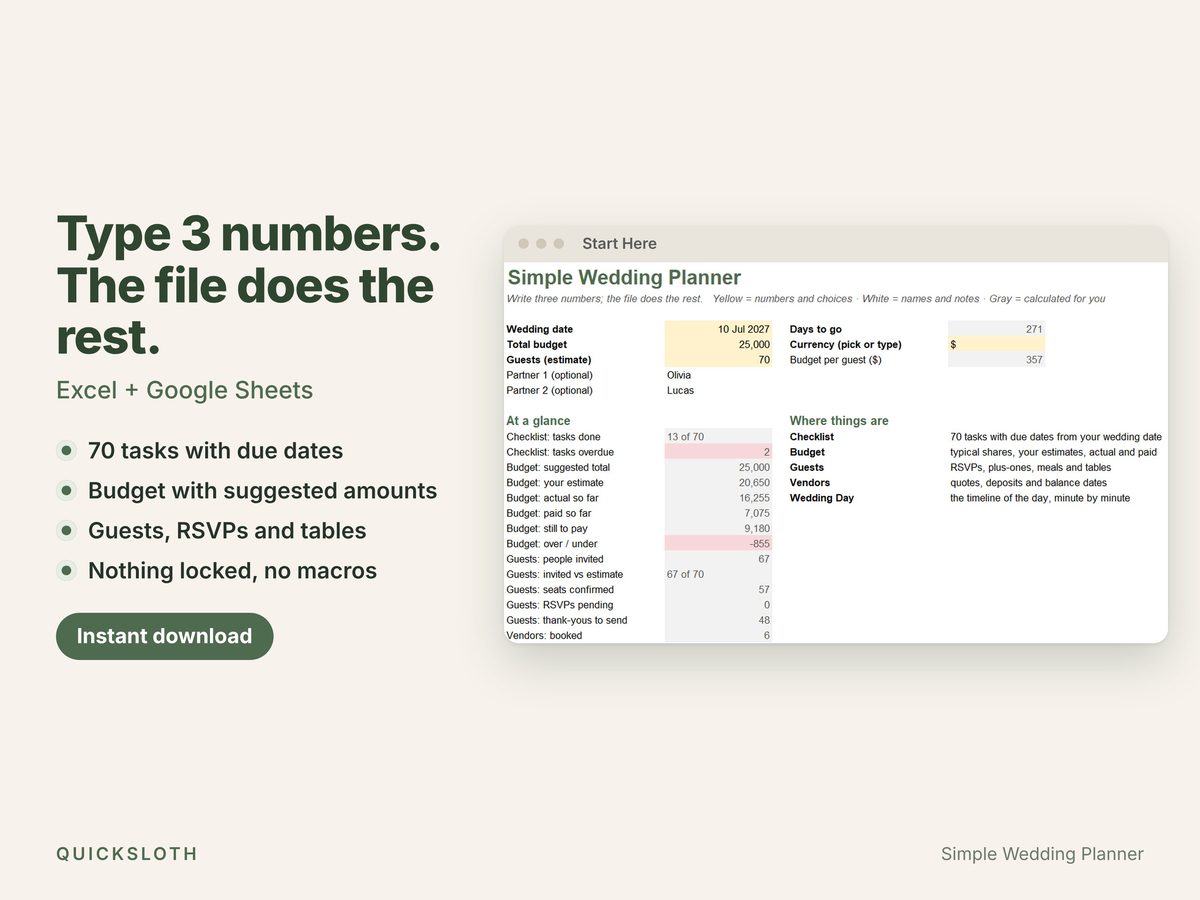
Type three numbers (your wedding date, your total budget and your guest estimate) and the planner fills in the rest: 70 tasks with due dates, a suggested amount for every budget line, and live counts of RSVPs, seats and tables.
Coming soon to our Etsy shop as an instant digital download. This page will link to the listing as soon as it is live.
What it does
One file, six tabs, nothing to configure.
- Start Here: the three yellow cells, a 7-step guide and an at-a-glance summary (tasks done and overdue, budget against spent, guests confirmed). You always know where to begin.
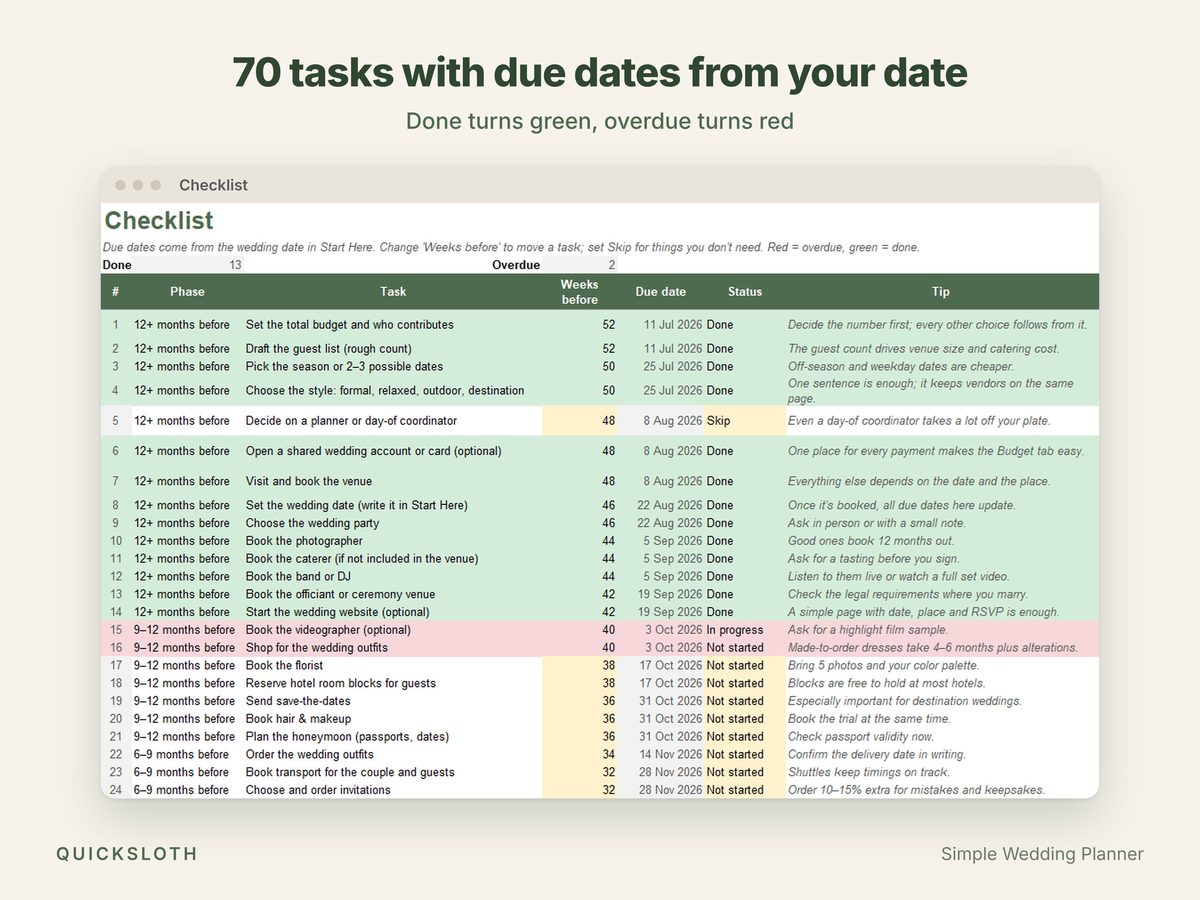
- Checklist: 70 tasks already written, from "12+ months before" to "after the wedding", each with a due date computed from your date and a one-line tip. Overdue rows turn red, done rows turn green. Move a task by changing "weeks before", or set it to Skip.
- Budget: 31 typical items in 10 categories, each with a suggested amount from your total. For catering, drinks, cake and favors a "per guest" column divides the cost by your guest count, so you can compare quotes per head. The file shows what is still to pay and whether you are over or under.
- Guests: one row per person, up to 500: side, role, group, plus-one, RSVP, meal, dietary needs, table, address and thank-you sent. A table board for 20 tables shows free seats per table and turns red when a table is over capacity.
- Vendors: 100 rows for quote, deposit, balance and balance due date; the top line shows the days to the next balance due.
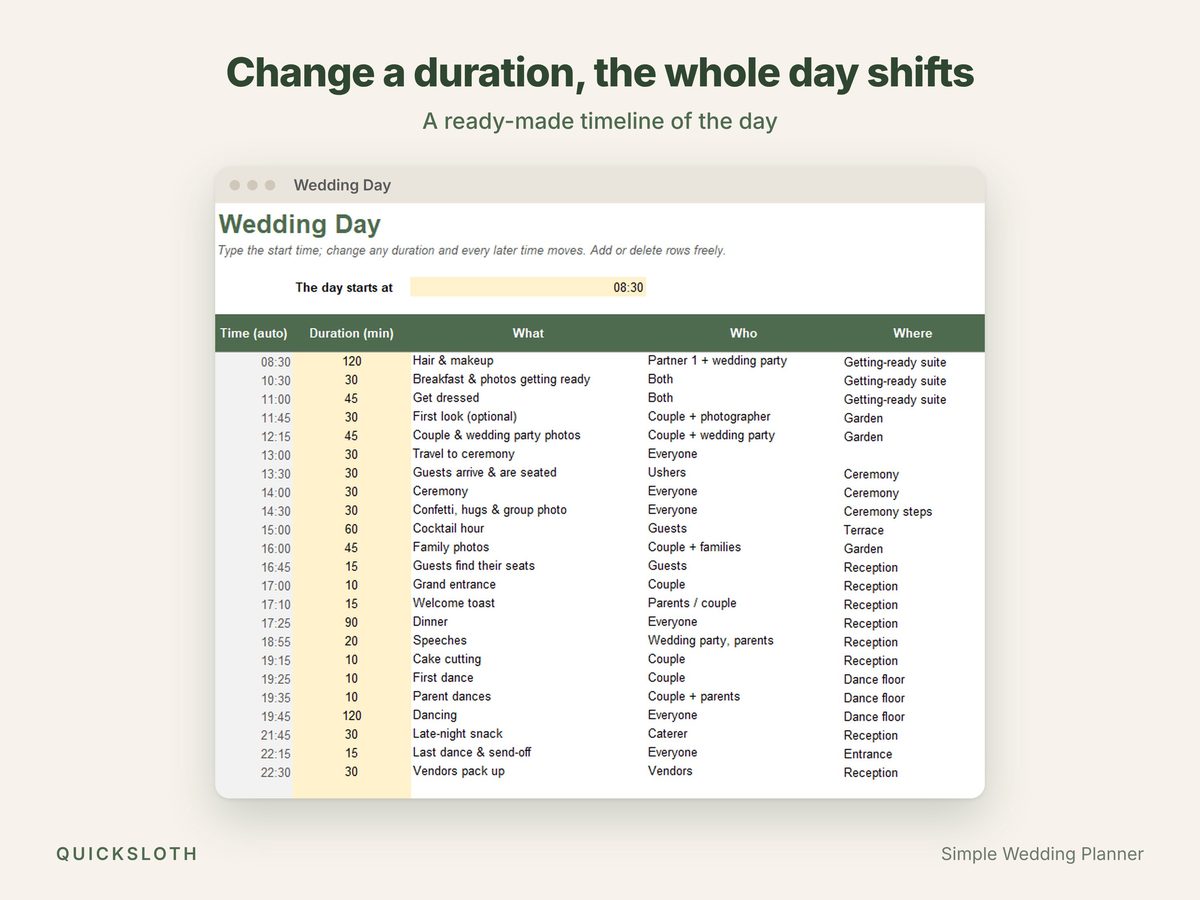
- Wedding Day: a ready-made timeline of the day. Type the start time, change any duration and the whole day shifts.
Made to be easy
- Six tabs, not twenty. Each tab has its instructions on the sheet, so you don't need a video to get started.
- Nothing is locked. No passwords and no protected sheets. Yellow and white cells are yours, gray cells calculate for you.
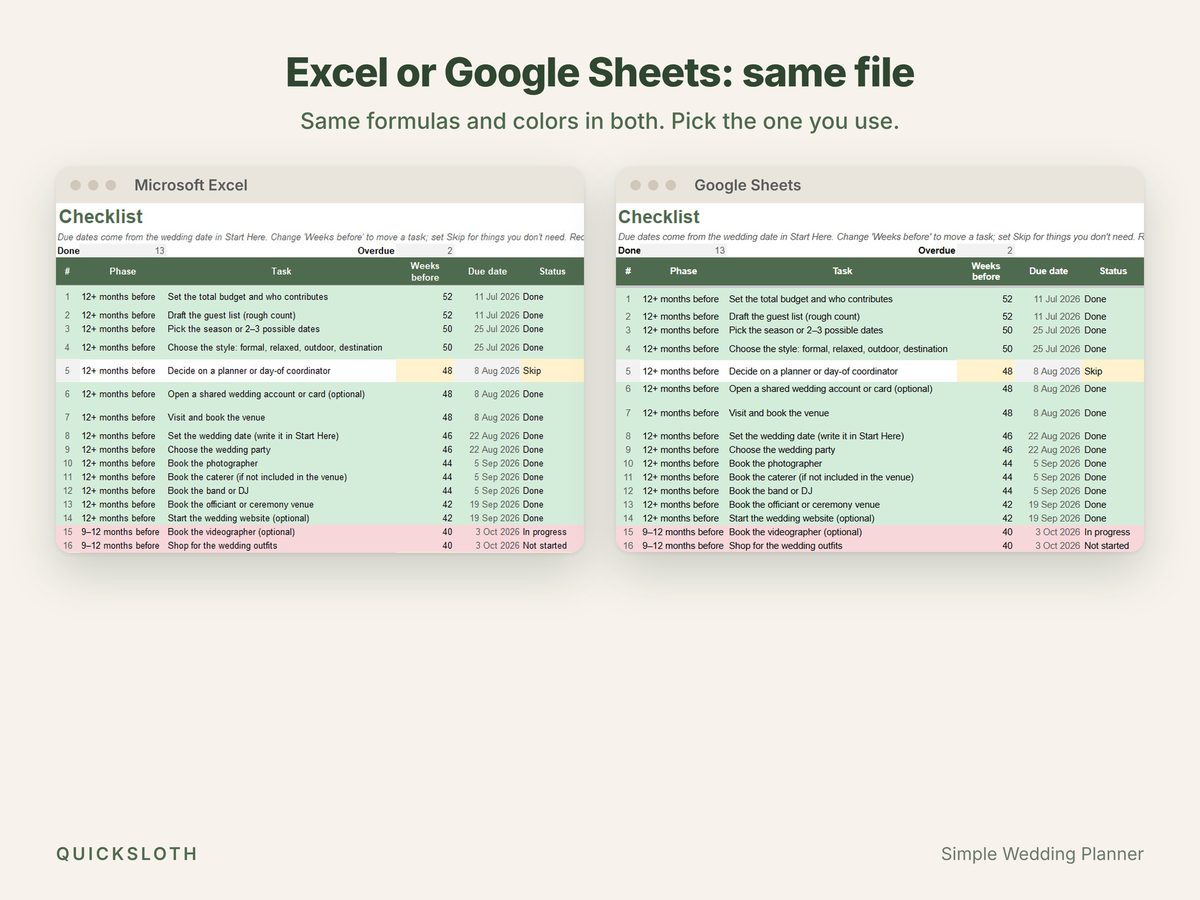
- The same file in Excel and Google Sheets. It only uses functions both programs share, so nothing shows #NAME? after import. No macros, no add-ons, no sign-up with us.
- Any currency. Pick your currency symbol in one cell, or type your own.
- Ready to print on Letter and A4: each tab fits the page width.
Works in
- Microsoft Excel 2010 or newer on Windows, 2011 or newer on Mac
- Google Sheets (File → Import → Upload, or the "Make a copy" link in the included guide)
- LibreOffice Calc
What you get
- Simple-Wedding-Planner.xlsx: blank, ready for your three numbers.
- Simple-Wedding-Planner-EXAMPLE.xlsx: filled in for a 70-guest wedding, so you can see how it looks before you start.
- How-to-use.pdf: one page on opening the file in Excel, copying it to Google Sheets, and reaching us.
Questions and answers
- Do I need Excel?
- No. The same file works in Google Sheets, which is free with a Google account, and in LibreOffice Calc.
- Can I change it or add rows?
- Yes. Nothing is locked. Type in the empty rows below the last one: the formulas are already there (200 checklist rows, 300 budget rows, 500 guest rows, 100 vendor rows).
- Can I print it?
- Yes. Each tab fits the page width on Letter and A4 paper. Long lists print their first rows (the first 80 guests and 30 vendors); Start Here explains how to print more. The table board and meal counts print on their own page after the guest list.
- Where do the suggested budget amounts come from?
- From typical shares in published wedding-budget guides. They are a starting point, not a rule: change any share if your priorities differ.
- How was it made?
- Designed and built by Quicksloth. We used AI tools to help write the formulas, the code that generates the file and these texts; every formula is then recalculated and checked automatically, and the file is opened and tested in Excel, Google Sheets and LibreOffice.
Help
Bought it on Etsy? Send us a message on Etsy from your order and tell us which file you have, whether you use Excel or Google Sheets, and what you see. More in Help, the license and your data.