 Quicksloth
Book Tracker spreadsheet for Google Sheets and Excel
Last updated: 14 October 2026
Write each book once and change only its status as you read: TBR, Reading, Read, DNF or Wishlist. Your shelves, your series, your yearly goal and your reading stats fill themselves, in Google Sheets or Excel, in a light or a dark theme.
Coming soon to our Etsy shop as an instant digital download. This page will link to the listing as soon as it is live.
What it does
One list of books, six tabs, nothing to set up.
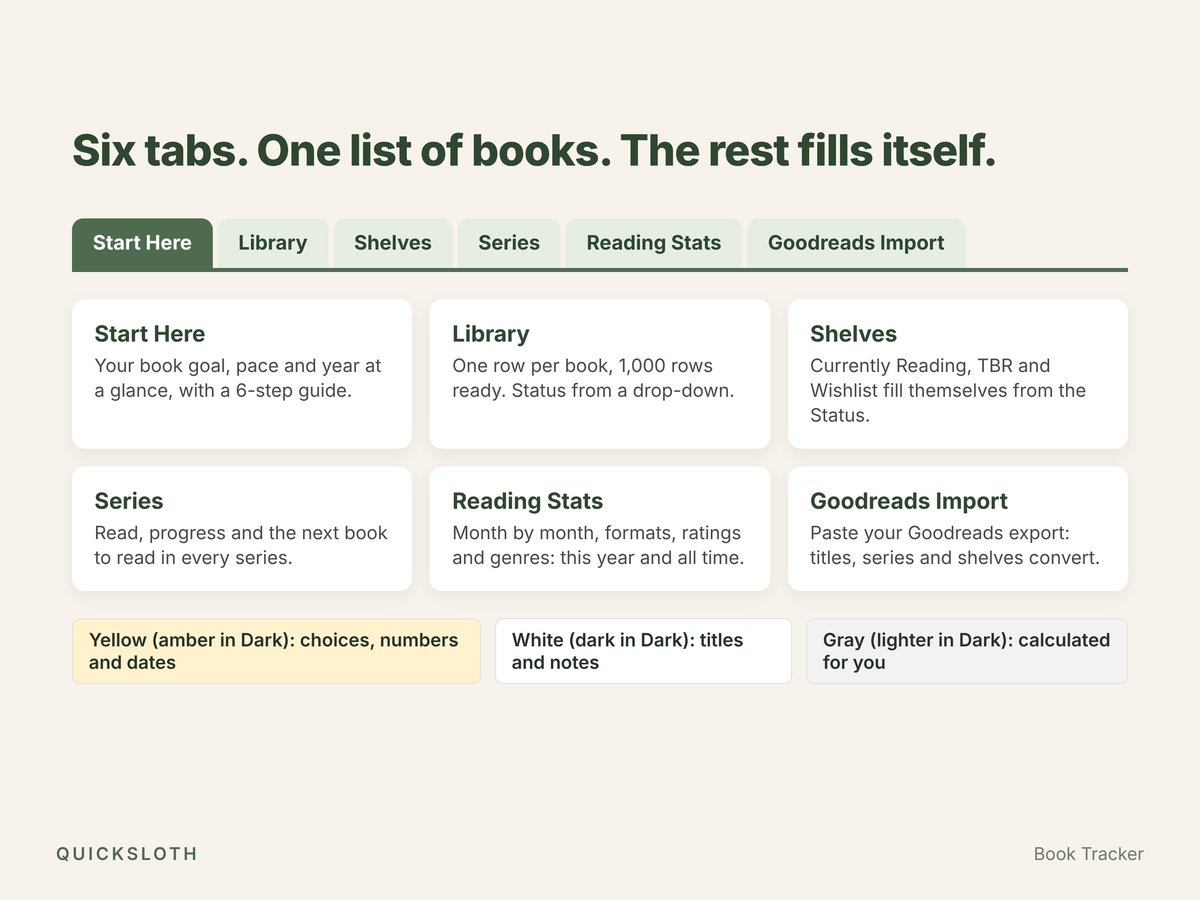
- Library: one row per book, 1,000 rows ready. Title, author, status, format (physical, ebook, audiobook), genre, series and number, pages, hours (optional), started and finished dates, a rating in half stars from 0.5 to 5, owned and notes. A Check column tells you when something doesn't add up, like a finished date before the start date.
- Shelves: Currently Reading, TBR and Wishlist are lists that build themselves from the status. Move a book from TBR to Reading and it changes shelf by itself: nothing to copy between tabs.
- Series: every series you've started, with how many books you have, how many you've read, your progress and the next one to read (the unread one with the lowest number). Type how many books the series has to see your progress through the whole series.
- Start Here: your book goal (and a page goal, if you like), books read, a progress bar, your pace ("2 books ahead"), pages, hours, average rating and average days per book for the year.
- Reading Stats: books, pages and hours month by month, books by format and by rating, your genres, your longest book, this year next to all time.
- DNF done right: a book you didn't finish never counts against your goal or your average rating. DNF books get their own count and share instead.
- Goodreads Import: paste the CSV of your Goodreads export and the file converts titles, authors, shelves, ratings, pages, finish dates and series (from titles like "Anne of Avonlea (Anne of Green Gables, #2)"). Then paste the result into your Library as values. Up to 1,000 books.
- Every year in one file: pick the year in one cell to look back; your books stay where they are.
Made to be easy
- Two themes in the box: a light one (cream and sage green) and a dark one (charcoal and amber). Same tabs, same formulas.
- A 6-step guide on the first tab, so you don't need a video to get started.
- Nothing is locked. Yellow cells (amber in the Dark file) are for choices, numbers and dates, white cells (dark in the Dark file) for titles and notes; gray cells (lighter gray in the Dark file) calculate for you. No passwords and no protected sheets; if you break a gray cell, Ctrl+Z.
- The same file in Excel and Google Sheets. It only uses functions both programs share, so nothing shows #NAME? after import. No macros, no add-ons, no account with us.
- Excel in any language. Dates are real dates and month names come from your program.
- Set up to print on Letter and A4: each tab fits the page width.
What it doesn't do
- No book covers and no automatic lookup by ISBN: you type each book (or import it from your Goodreads export).
- No charts: the bars are made of text, so they look the same in Excel and Google Sheets.
- The Shelves tab lists up to 25 books you're reading, 500 TBR and 300 wishlist; past that, filter the Library.
- No reading challenges with prompts, no habit or daily page tracker.
Works in
- Microsoft Excel 2010 or newer (Windows and Mac)
- Google Sheets (File → Import → Upload, or the "Make a copy" links in the included guide, one for each theme)
- LibreOffice Calc
What you get
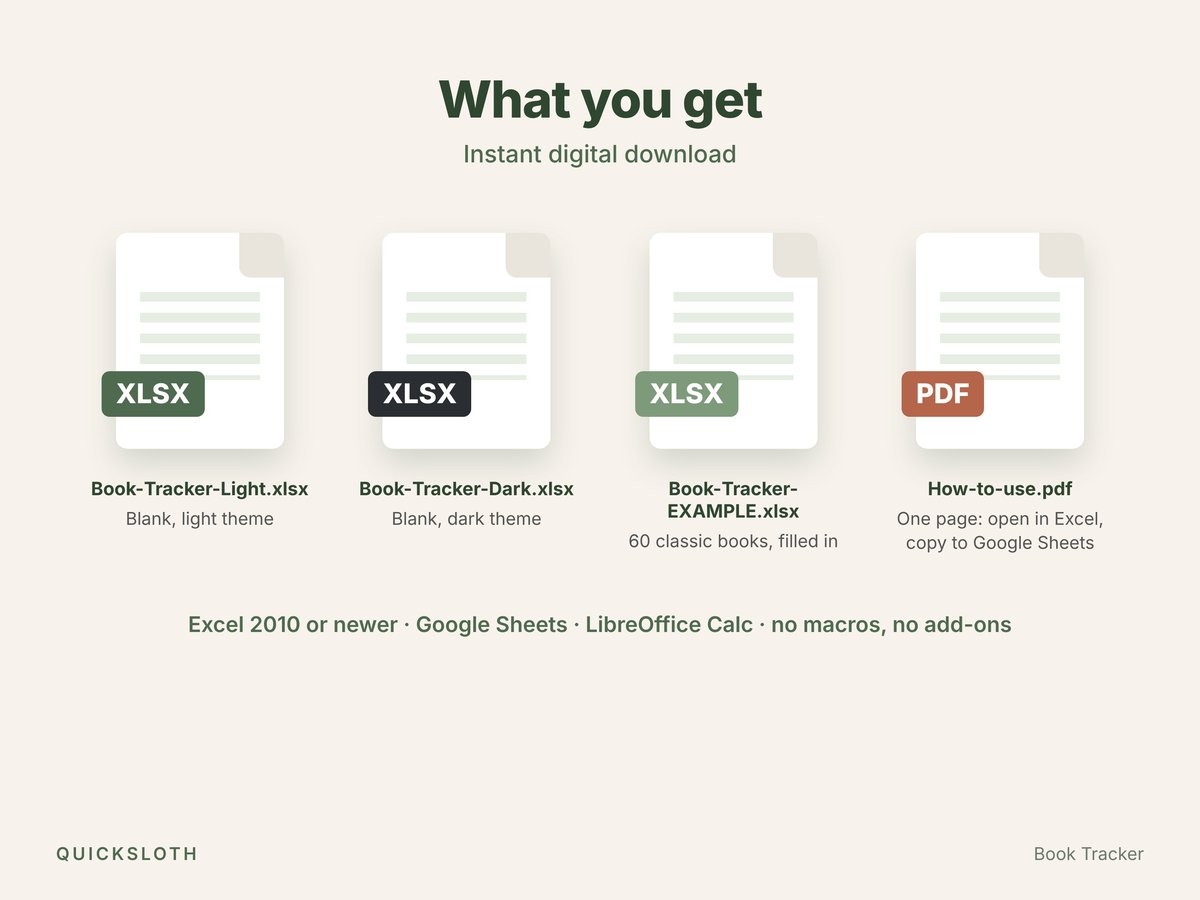
- Book-Tracker-Light.xlsx: blank, light theme.
- Book-Tracker-Dark.xlsx: blank, dark theme.
- Book-Tracker-EXAMPLE.xlsx: filled in with 60 classic books (Austen, the Brontës, Dickens, Sherlock Holmes, Anne of Green Gables and more), so you can see every tab in use.
- How-to-use.pdf: one page on opening the files in Excel, copying them to Google Sheets, importing from Goodreads and reaching us.
Questions and answers
- Do I need Excel?
- No. The same file works in Google Sheets, which is free with a Google account, and in LibreOffice Calc.
- How do I move my books from Goodreads?
- On goodreads.com, on a computer, export your library as a CSV file (My Books → Tools → Import and export → Export Library). Paste it into the Goodreads Import tab, then paste the converted block into your Library as values. The included guide shows the steps.
- Does a book I didn't finish count?
- No. Mark it DNF: it stays in your Library and gets its own count, but it never counts against your goal or your average rating.
- Can I use it for more than one year?
- Yes. All your books stay in one Library; pick the year on Start Here and the summary and the stats show that year.
- How was it made?
- Designed and built by Quicksloth. We used AI tools to help write the formulas, the code that generates the files and these texts; every formula is then recalculated and checked automatically, including a test with a full library of 1,000 books. The example books are classics in the public domain.
Help
Bought it on Etsy? Send us a message on Etsy from your order and tell us which file you have, whether you use Excel or Google Sheets, and what you see. More in Help, the license and your data.