 Quicksloth
Quicksloth Sticky Widget for WordPress
Last updated: 28 October 2026
Keep a sidebar widget, a block or any element of your theme in view while visitors scroll down a long page, and stop it before the footer instead of covering it. One tick on a widget, one switch on a block, or a CSS selector for anything else. No jQuery, no requests to other servers, no cookies. Already using Fixed Widget? Its settings are imported on activation: nothing to redo.
Free in the WordPress.org Plugin Directory since 28 October 2026.
Get it on WordPress.org Coming from Fixed Widget? Support and common questions
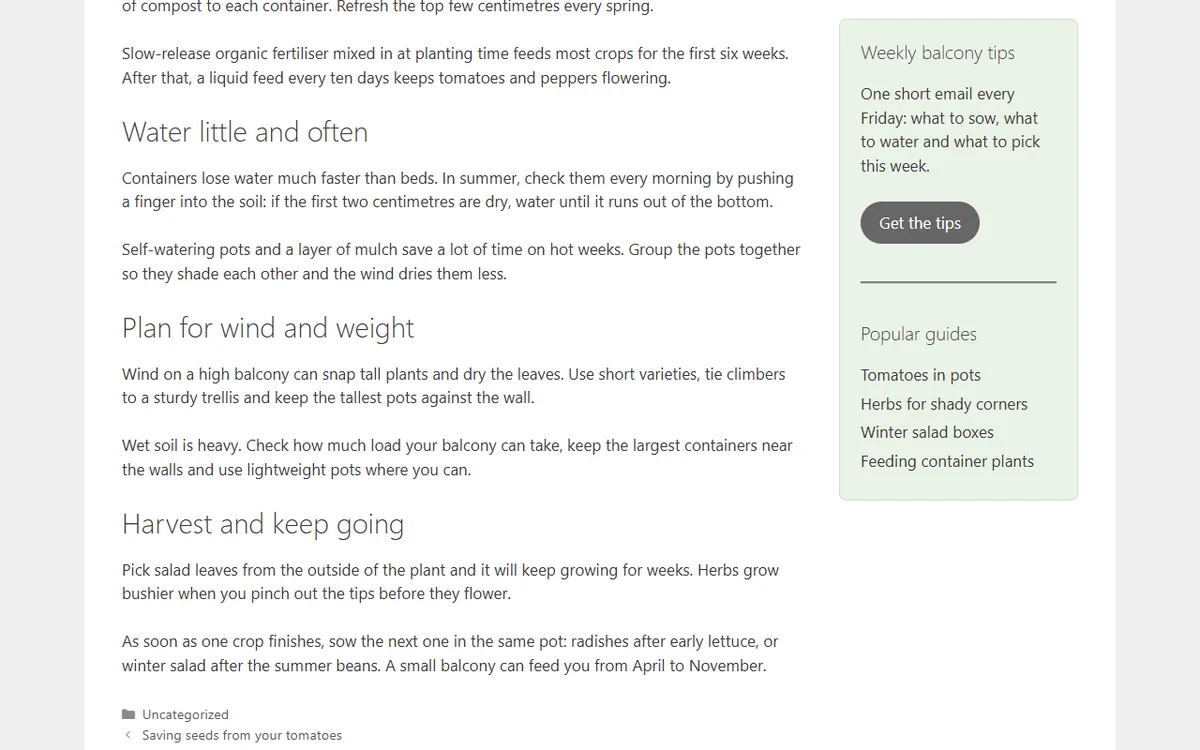
What it does
Classic widgets
Under Appearance → Widgets, open a widget and tick Sticky (stays in view while scrolling). Several sticky widgets in one sidebar stack 10 px apart.
Blocks, also inside a column
Select a block and turn on Sticky in its Sticky panel, in the post, site and block widgets editors. WordPress's own Sticky setting covers only Group blocks, and only on themes that turn it on; this switch works on any block, on block and classic themes. How to make a widget sticky, with or without a plugin. Stop here marks a block that sticky blocks must not cover.
Any element
List an ID, a class or a tag under Custom sticky elements, one per line: an ad box, a table of contents, a call to action in your theme.
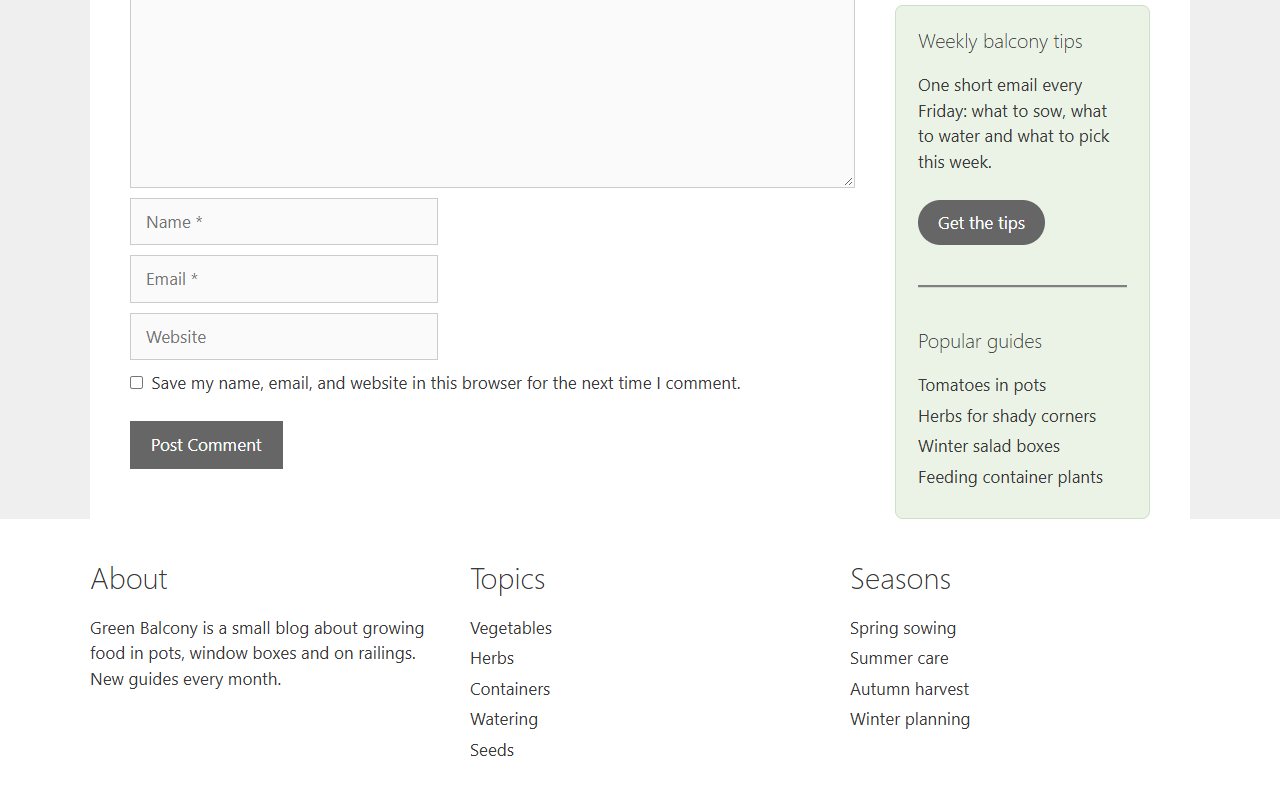
Stops before the footer
Sticky elements are pushed up when they reach a stop element. The theme footer (
footer,#colophon,.site-footer) is a stop by default; add your own selectors for anything else.
What you can set
One page under Appearance → Sticky Widget (also from the Settings link on the Plugins screen). No top-level menu and no dashboard notices, except one dismissible review request 14 days after activation, gone for good once you answer it.
- Margin top (10 px by default) and Margin bottom (0): the distance sticky elements keep from the window edges and from stop elements;
- Stop elements: selectors of elements that push sticky elements up, one per line, and Also stop before the theme footer, on by default;
- Custom sticky elements: selectors of other elements that should stay in view;
- Minimum screen width and Minimum screen height: below these window sizes nothing is sticky (0 means no limit);
- Devices: Desktop, Tablet, Phone. A phone is a window under 768 px, a tablet 768 to 1024 px, a desktop above;
- Layer (z-index), 50 by default: raise it if a sticky element hides behind the content, lower it if it covers a fixed header.
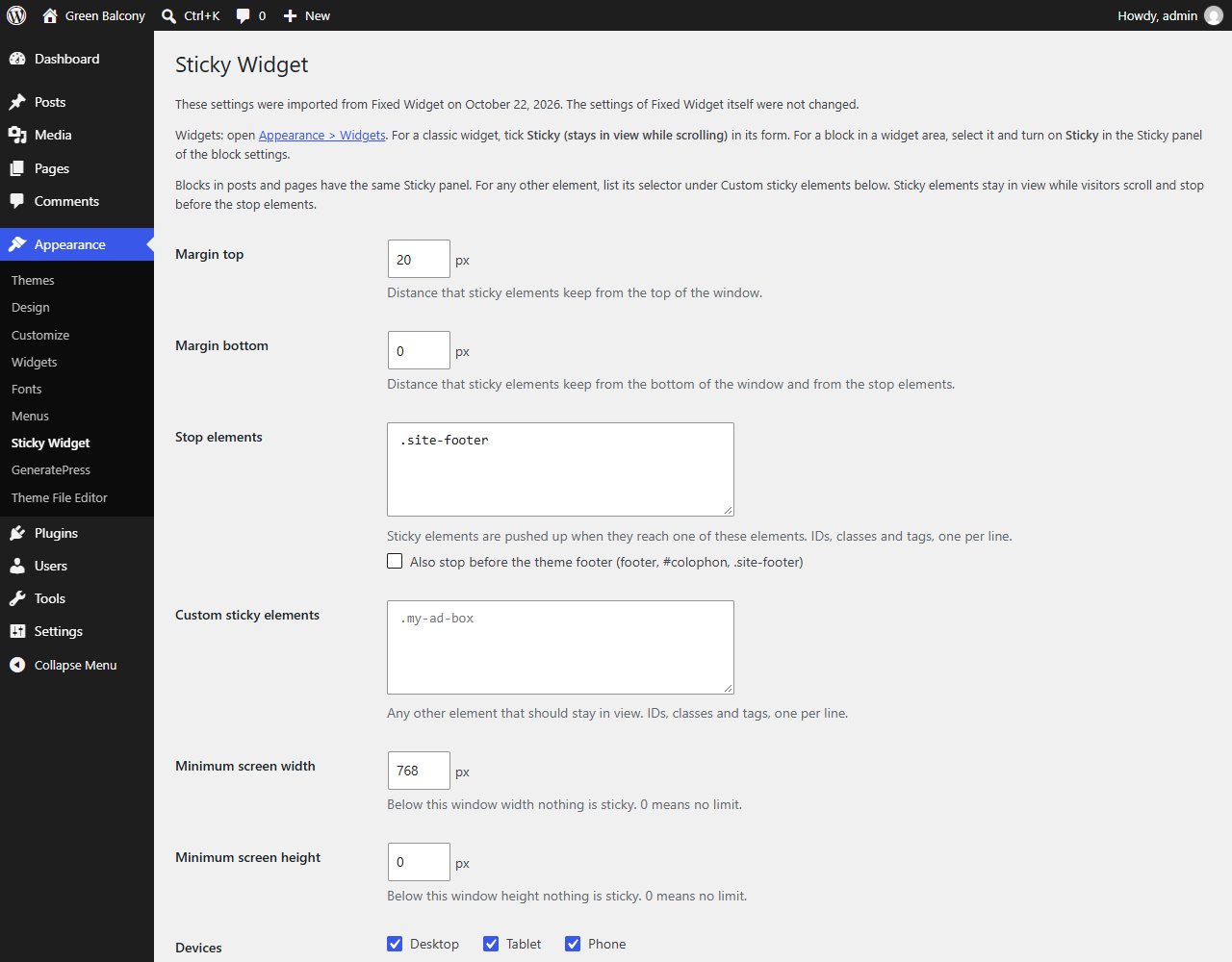
Coming from Fixed Widget?
On activation the plugin imports your Fixed Widget (q2w3) settings automatically: margins, stop elements, custom elements and minimum screen sizes. Widgets ticked as fixed there, and blocks with its classes, stay sticky without a click, and its settings are never changed or deleted, so you can switch back. While Fixed Widget is still active this plugin keeps its script off (two scripts would make the same widgets jump); deactivate it and everything starts by itself. The Fixed Widget alternative page shows the two plugins side by side, option by option, and the steps to move over.
How it is built
Light
One script of about 5 KB compressed, loaded only on pages that have a sticky element. No jQuery, no extra CSS, no external requests, no cookies. In our Lighthouse test on mobile the score was the same with and without the plugin (99 on Twenty Twenty-Five, 98 on Astra), with Total Blocking Time 3 to 6 ms higher.
Native where the theme allows it
The plugin uses
position: stickywhen the parent column leaves room for it and no ancestor clips it with overflow; otherwise it falls back to a fixed position with a placeholder that recalculates the width on zoom, resize and rotation. An element taller than the window is left alone: pinned, it would hide its own end. Why CSS sticky sometimes does not work in a theme; for a long list, see the sticky table of contents guide.Tested with
Twenty Twenty-Five, Twenty Twenty-One, Astra, GeneratePress, Kadence and OceanWP; Chromium, Firefox and WebKit (the engine of Safari); zoom from 50 to 200%; window widths from 1280 to 800 px; LiteSpeed Cache 7.9.2 with JavaScript and CSS combined and deferred.
Works with caching
The page HTML is the same for every visitor and the positions are computed in the browser, so cached pages work; clear the cache after changing widgets or settings. With a "delay JavaScript" feature nothing is sticky until the first interaction: the support page says what to exclude.
For developers
Classes
qssw-sticky,qssw-stopandqssw-is-pinned(plusFixedWidget__fixed_widget__pinnedwhile pinned, so CSS written for Fixed Widget keeps working);window.qssw.refresh()after loading content with JavaScript.
What it does not do
Sticky headers and menus, notification bars and popups: other plugins do that. The free plugin has no rules per page, post type, category or user role: a sticky element is sticky on every page where it appears, unless the window is below the minimum sizes or the device is unticked.
Price and license
Free. Every feature and every setting is included: nothing in the plugin is locked or time-limited. The plugin is released under the GNU General Public License, version 2 or later, like WordPress itself.
A separate Pro add-on is planned, with rules per page, post type, category and user role, groups of elements with their own margins and stop elements, reserved space for sticky ads, fixes for nested theme containers and multisite settings. It is not available yet; this page will say when it is. It will add features, not unlock anything in the free plugin.
Install
From the WordPress.org Plugin Directory:
- In your dashboard go to Plugins → Add Plugin and search for "Quicksloth Sticky Widget".
- Click Install Now, then Activate.
- Under Appearance → Widgets, tick Sticky (stays in view while scrolling) in a widget's form, or turn on Sticky in the Sticky panel of a block. On a block theme without widget areas, open Appearance → Editor, select a block in a template or template part and turn on Sticky.
- Optional: margins, stop elements and devices under Appearance → Sticky Widget. With a caching plugin, clear its cache after saving.
Your data
The plugin has no server of its own and sends nothing anywhere: no cookies, no tracking, no requests to other servers, on your site or in your dashboard. On your server it stores its settings, the date of the first activation and your answer to the review request, plus a Sticky flag in your widgets and a qssw attribute in your blocks. Deleting the plugin removes the options and the tick; it never touches the data of Fixed Widget. Details in the privacy policy.
Help
Email support@quicksloth.dev. The support page answers the common questions and explains what to include so we can help quickly.