 Quicksloth
Budget Planner spreadsheet for Google Sheets and Excel
Last updated: 15 October 2026
Write every money move once, on one list. Your monthly budget, your annual view, your budget by paycheck, your sinking funds, your savings goals and your debt payoff plan fill themselves, in Google Sheets or Excel, in a light or a dark theme. Pick the year in one cell: it works for 2027 and for the years after.
Coming soon to our Etsy shop as an instant digital download. This page will link to the listing as soon as it is live.
What it does
One list of transactions, ten tabs, nothing to set up.
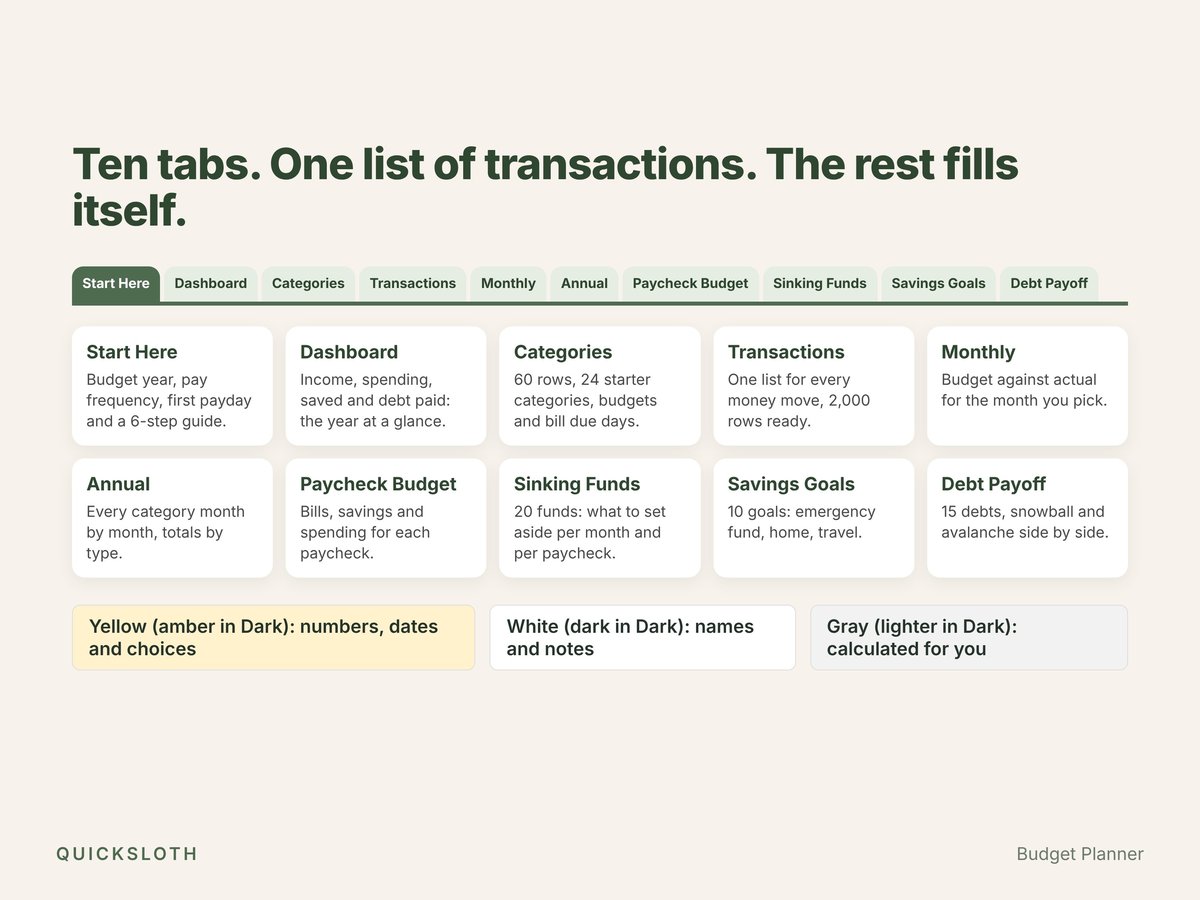
- Transactions: one list for income, bills, spending, savings and debt payments, 2,000 rows ready. Pick a category, type a positive amount: the file knows what the money did. A Check column tells you when something is off, like a date typed as text or a category that isn't in your list.
- Categories: 24 starter categories you can rename, up to 60. Give each one a type (income, bill, expense, savings) and a monthly budget; bills also get a due day.
- Paycheck Budget: paid weekly, every 2 weeks, twice a month or monthly? Every paycheck of the year gets its own line: the bills due before the next paycheck, its share of savings and debt payments, what you spent and what's left to spend. A running balance carries what's left (or missing) to the next paycheck and turns red only if it goes below zero.
- Monthly and Annual: budget against actual for the month you pick, and every category month by month for the whole year.
- Dashboard: income, spending, saved, debt paid and left over for the year and for each month, your first 15 bill and expense categories against budget, and your total savings and debt.
- Sinking Funds (20) and Savings Goals (10): a goal and a due date, and the file tells you how much to set aside per month and per paycheck, with a progress bar and a status. Paid for something with the money? Type it in Spent from fund and see what's left in the fund. See an example in Sinking funds: a worked example for irregular bills.
- Debt Payoff: up to 15 debts with balance, APR and minimum payment, plus an extra amount per month. Snowball (smallest balance first) and avalanche (highest APR first) side by side: months to debt-free, debt-free date, total interest and when each debt is paid off. When a debt is paid off, the rest of that month's payment goes straight to the next one. Then pick your plan, and now and then type each balance from your statement. See an example in Debt snowball vs avalanche: same debts, two plans.
Made to be easy
- Two themes in the box: a light one and a dark one (charcoal and mint). Same tabs, same formulas.
- A 6-step guide on the first tab, so you don't need a video to get started.
- Nothing is locked. Yellow cells (amber in the Dark file) are for numbers, dates and choices, white cells (dark in the Dark file) for names and notes; gray cells (lighter gray in the Dark file) calculate for you. No passwords and no protected sheets; if you break a gray cell, Ctrl+Z.
- Next year, change two cells: the Budget year and your first payday. Your transactions stay and every tab follows.
- The same file in Excel and Google Sheets. It only uses functions both programs share, so nothing shows #NAME? after import. No macros, no add-ons, no account with us, no bank connection: your numbers stay in your file.
- Any currency, Excel in any language. Amounts are plain numbers; dates are real dates and month names come from your program.
- Set up to print on Letter and A4: each tab fits the page width.
What it doesn't do
- No bank import: you type or paste your transactions.
- No charts: the bars are made of text, so they look the same in Excel and Google Sheets.
- One currency per file, one budget per file (no separate budgets for two people).
- Debt-free dates are estimates with fixed rates and payments at the end of each month. This is a calculation template, not financial advice.
Works in
- Microsoft Excel 2010 or newer (Windows and Mac)
- Google Sheets (File → Import → Upload, or the "Make a copy" links in the included guide, one for each theme)
- LibreOffice Calc
What you get
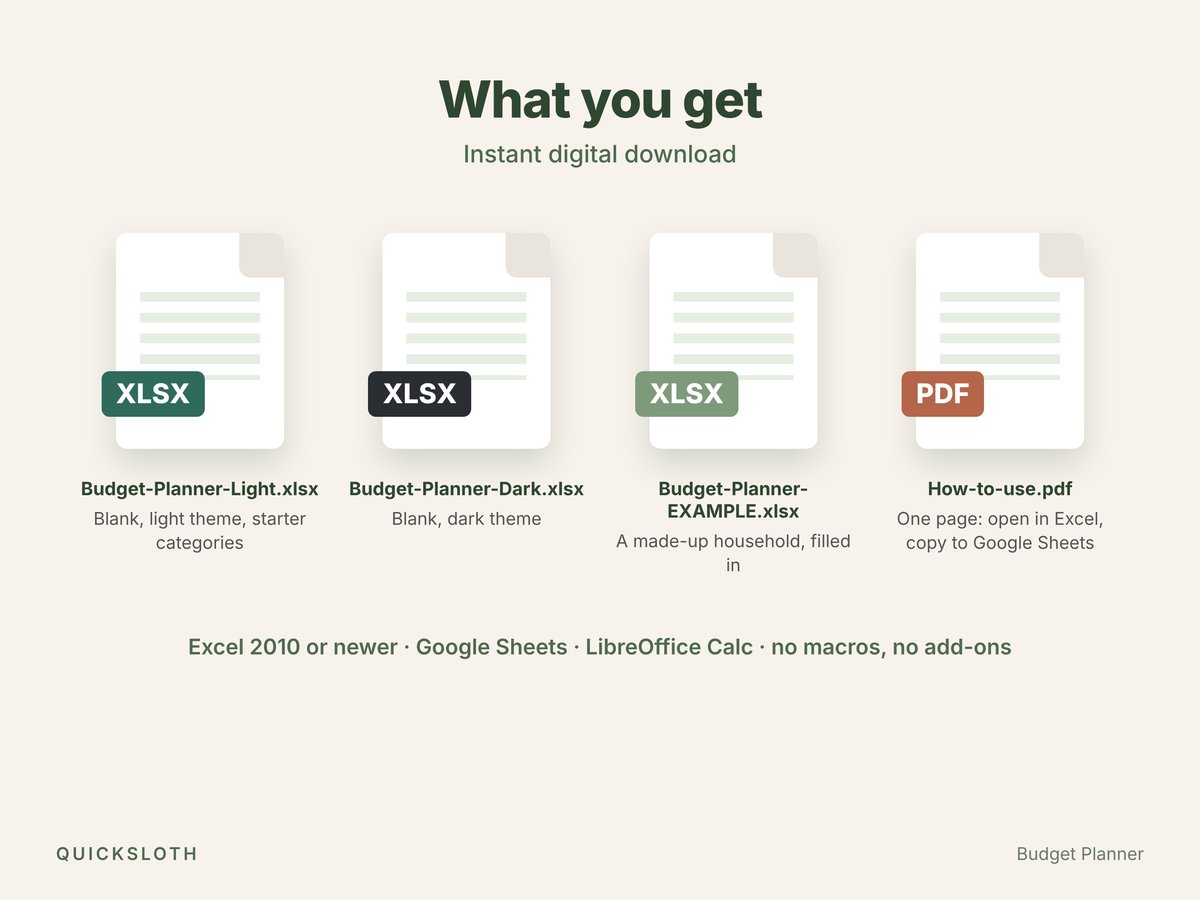
- Budget-Planner-Light.xlsx: blank, light theme, with starter categories.
- Budget-Planner-Dark.xlsx: blank, dark theme.
- Budget-Planner-EXAMPLE.xlsx: a made-up household with three months of transactions, so you can see every tab in use.
- How-to-use.pdf: one page on opening the files in Excel, copying them to Google Sheets and reaching us.
Questions and answers
- Do I need Excel?
- No. The same file works in Google Sheets, which is free with a Google account, and in LibreOffice Calc.
- Is it only for 2027?
- No. There is no year inside the formulas. Change the Budget year and your first payday on Start Here and every tab follows; transactions from other years stay in the file and count when you pick their year.
- Does it connect to my bank?
- No. You type or paste your transactions. Nothing leaves your file.
- Snowball or avalanche: which should I pick?
- The Debt Payoff tab shows both for your own debts, side by side, so you can see what each one costs. A worked example is in Debt snowball vs avalanche. It's a calculation, not financial advice.
- How was it made?
- Designed and built by Quicksloth. We used AI tools to help write the formulas, the code that generates the files and these texts; every formula is then recalculated and checked automatically, including all four pay frequencies, a change of year and a debt plan compared with a separate calculation. The names and numbers in the example are made up.
Help
Bought it on Etsy? Send us a message on Etsy from your order and tell us which file you have, whether you use Excel or Google Sheets, and what you see. More in Help, the license and your data.