 Quicksloth
Habit & Goal Tracker spreadsheet for Google Sheets and Excel
Last updated: 21 October 2026
Tick a habit once a day, in one grid for the whole year. Your week, your month, your streaks, your success rate and your yearly goals fill themselves, in Google Sheets or Excel, in a light or a dark theme. Pick the year in one cell: it works for 2027 and for the years after.
The Habit Tracker is coming soon to our Etsy shop as an instant digital download. This page will link to the listing as soon as it is live.
What it does
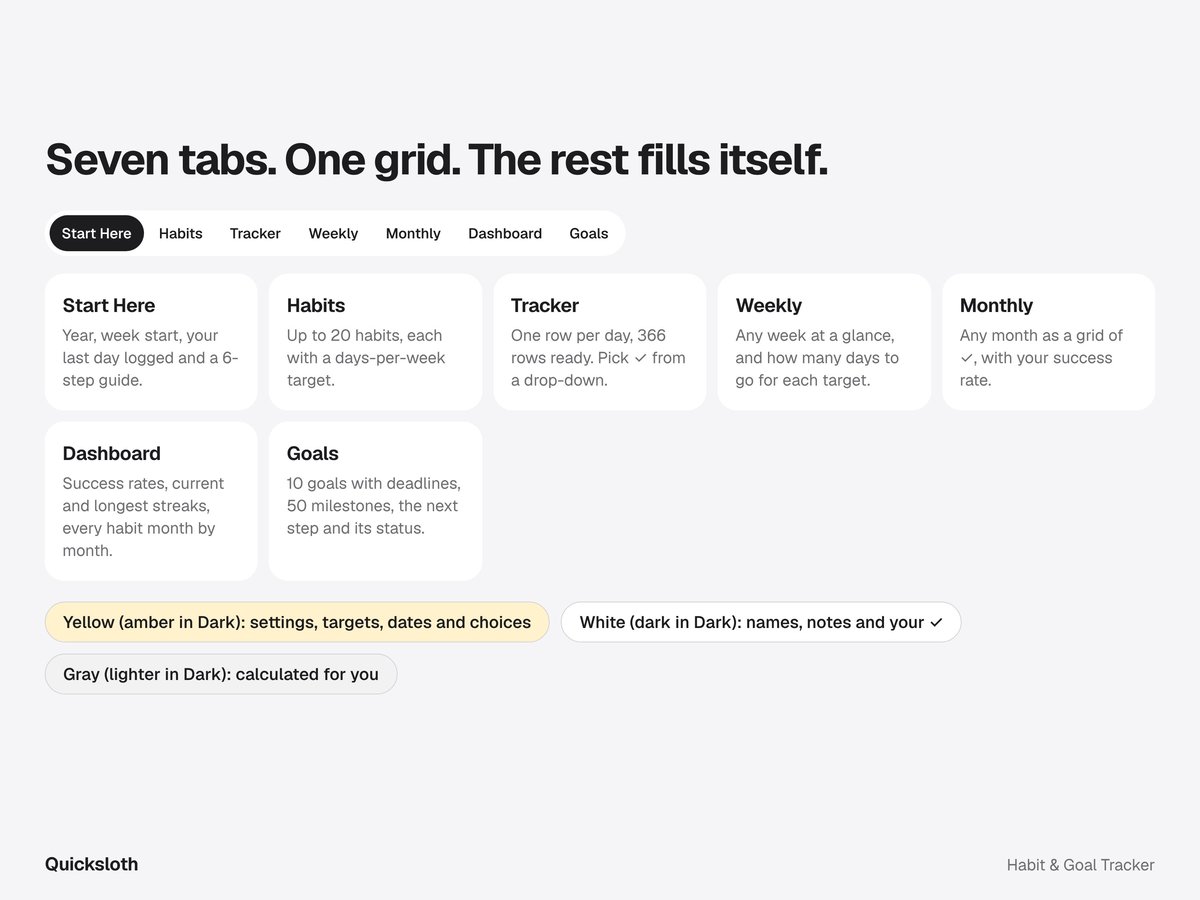
One grid of ✓, seven tabs, nothing to set up.
- Habits: up to 20 habits, each with its own target in days per week (every day, or 3 times a week). Added a habit in March? Give it a start date, so the days before don't count against it.
- Tracker: one row per day, 366 rows ready, 20 habit columns. Pick ✓ from the drop-down, or paste a ✓ on many days at once. Today's row is highlighted, and a Check column tells you when something isn't a ✓.
- Weekly: any week at a glance, starting on Monday or Sunday. For each habit, the days done, your target and how many more days you need to hit it.
- Monthly: any month as a grid of ✓, with each habit's success rate and the share of habits done each day.
- Dashboard: success rate against your own target, current streak and longest streak for every habit, the days you did everything, and a table of every habit month by month, colored by how well it went. How success rates and streaks are counted, with numbers from the example: New Year habit tracker: how to pick a few habits and track them.
- Goals: up to 10 goals for the year, each with a deadline and a linked habit, and up to 50 milestones. Tick a milestone with ✓: progress, the next milestone, its date and the status (on track, due soon, overdue, done) fill themselves, next to the linked habit's success rate and streak.
Made to be easy
- Two themes in the box: a light one and a dark one (charcoal and lavender). Same tabs, same formulas.
- A 6-step guide on the first tab, so you don't need a video to get started.
- Nothing is locked. Yellow cells (amber in the Dark file) are for settings, targets, dates and choices, white cells (dark in the Dark file) for names, notes and your ✓; gray cells (lighter gray in the Dark file) calculate for you. No passwords and no protected sheets; if you break a gray cell, Ctrl+Z.
- While you're away, your numbers don't drop: stats count up to your last day with a ✓, and today's streak stays alive until you tick it.
- Next year: save a copy, type the new year and clear the ✓ and the day notes. Your habits stay.
- The same file in Excel and Google Sheets. It only uses functions both programs share, so nothing shows #NAME? after import. No macros, no add-ons, no account with us: your data stays in your file.
- Set up to print on Letter and A4: each tab fits the page width.
What it doesn't do
- No reminders or phone notifications: it's a spreadsheet, not an app.
- No checkboxes: a ✓ from a drop-down works the same in every version of Excel and in Google Sheets.
- No charts: bars are made of text and colors come from simple rules, so they look the same in Excel and Google Sheets.
- Habits are done or not done: no minutes, pages or amounts per day.
Works in
- Microsoft Excel 2010 or newer (Windows and Mac)
- Google Sheets (File → Import → Upload)
- LibreOffice Calc
What you get
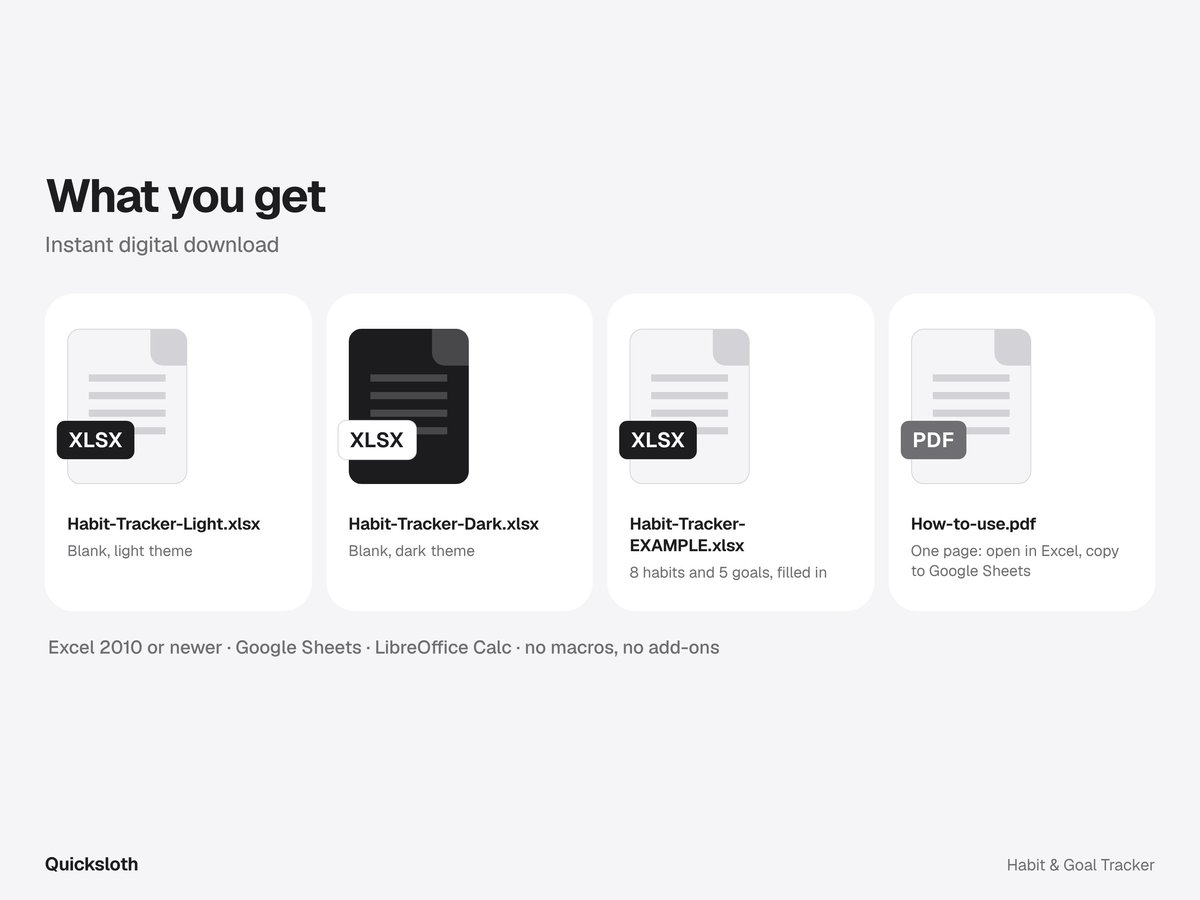
- Habit-Tracker-Light.xlsx: blank, light theme.
- Habit-Tracker-Dark.xlsx: blank, dark theme.
- Habit-Tracker-EXAMPLE.xlsx: 8 made-up habits ticked from January to March and 5 goals with milestones, so you can see every tab in use.
- How-to-use.pdf: one page on opening the files in Excel, copying them to Google Sheets and reaching us.
Questions and answers
- Do I need Excel?
- No. The same file works in Google Sheets, which is free with a Google account, and in LibreOffice Calc.
- Is it only for 2027?
- No. There is no year inside the formulas: you type the year on Start Here. For a new year, save a copy, type the new year and clear the ✓ and the day notes; your habits stay.
- Does it send reminders?
- No. It's a spreadsheet, not an app: you open it and tick what you did.
- I missed a few days. Does that ruin my stats?
- Stats count up to your last day with a ✓, so days you haven't filled in yet don't count against you. A day you skip in the middle counts as not done, and a habit with a start date only counts from that date.
- Planning your money for 2027 too?
- Our Budget Planner, also coming soon, works the same way: one list, and every view fills itself.
- How was it made?
- Designed and built by Quicksloth. We used AI tools to help write the formulas, the code that generates the files and these texts; every formula is then recalculated and checked automatically, including streaks and success rates compared with a separate calculation, leap years and weeks that start on Sunday. The habits and goals in the example are made up.
Help
Bought it on Etsy? Send us a message on Etsy from your order and tell us which file you have, whether you use Excel or Google Sheets, and what you see. More in Help, the license and your data.