 Quicksloth
How to make a wedding guest list (and cut it to fit)
Last updated: 4 November 2026 · By Quicksloth
The guest list is the decision that moves the most money and causes the most arguments. Here is a way to build it that keeps both under control: start from a number, fill it circle by circle, agree on the rules before the names, and know what each cut really saves before you make it.
Short version: set your budget and your venue's capacity first. Then list people in order of closeness: family, close friends, wider friends, colleagues, with one row per person. Agree together on plus-ones, children and colleagues, and apply the rules to everyone. If the list is too long, cut whole circles rather than single names. One guest fewer doesn't save the average cost per guest, only the costs you pay per head: in our example, about $98 a guest, not $357.
The guests and numbers on this page are a made-up example, from the example files of our Wedding Guest List & Seating and Simple Wedding Budget spreadsheets. It shows the arithmetic of one list, not financial advice; your quotes, your venue and your families will be different.
Start from two numbers
Before anyone writes a name, write two numbers: how much you can spend and how many people the venue holds (or the size of venue you're looking for). Zola's guide to the guest list (updated 1 July 2025, read 4 November 2026) puts it the same way: "your budget should serve as a guide", because every guest adds per-head costs like catering and rentals, and a bigger list needs a bigger venue.
From those two, you get a guest estimate: the number of people you're aiming for. In our example, Olivia and Lucas have $25,000 and a venue for 80, and aim for 70 guests. That target is what the list is measured against: on the first tab of our file, "invited vs estimate" reads "67 of 70".
Fill it circle by circle
List people in order of closeness, one circle at a time, and each partner their own side. That way, if you have to stop, you stop at a circle, not in the middle of one:
- Immediate family: parents, siblings and their partners and children, grandparents.
- Close family: aunts, uncles, the cousins you actually see.
- Close friends, including the wedding party.
- Wider friends: groups, old friends, partners of friends.
- Colleagues and everyone else.
Write one row per person, children included, with a plus-one marked on the guest's row while you don't know the name. A row for "the Smiths" counts as one seat, and your caterer will charge for every Smith who comes. These are the first six columns of the Guests tab in our file, in the file's order; while you build the list, Name, Side, Role, Group and Plus-one are the ones that matter:
| Column | What goes in it | Why it helps |
|---|---|---|
| Name | One person | Every count starts from the named rows |
| Side | Partner 1, Partner 2 or Both | Shows whether one side is much longer than the other |
| Role | Guest, Wedding party, Family, Child or Vendor | Children are counted on their own |
| Group | Any word you like: Family, Friends, Work, Book club | The circle, so you can cut a whole group at once |
| Invited to | Ceremony + reception, Reception only or Ceremony only | Who comes to which part |
| Plus-one | Yes or No | A plus-one whose name you don't know yet is still a seat |
The rest (RSVP, meal, dietary needs, table, address, thank-you sent) fills in later; how to track wedding RSVPs covers those columns and their formulas.
Here is the example list, counted by circle. "People" includes plus-ones: all 7 of them are on friends' rows.
| Group | Olivia's side | Lucas's side | People |
|---|---|---|---|
| Family | 12 | 10 | 22 |
| Friends (with 7 plus-ones) | 18 | 21 | 39 |
| Work | 3 | 3 | 6 |
| Total | 33 | 34 | 67 |
That's 60 names and 7 plus-ones, so 67 people, with 4 children among them. The couple are on the list too: they eat and sit like everyone else. Our file counts people invited and children for you; it doesn't count by group, but one formula per group does it, here for the Group column D and the Plus-one column F, rows 7 to 506:
=COUNTIF($D$7:$D$506,"Work")+COUNTIFS($D$7:$D$506,"Work",$F$7:$F$506,"Yes")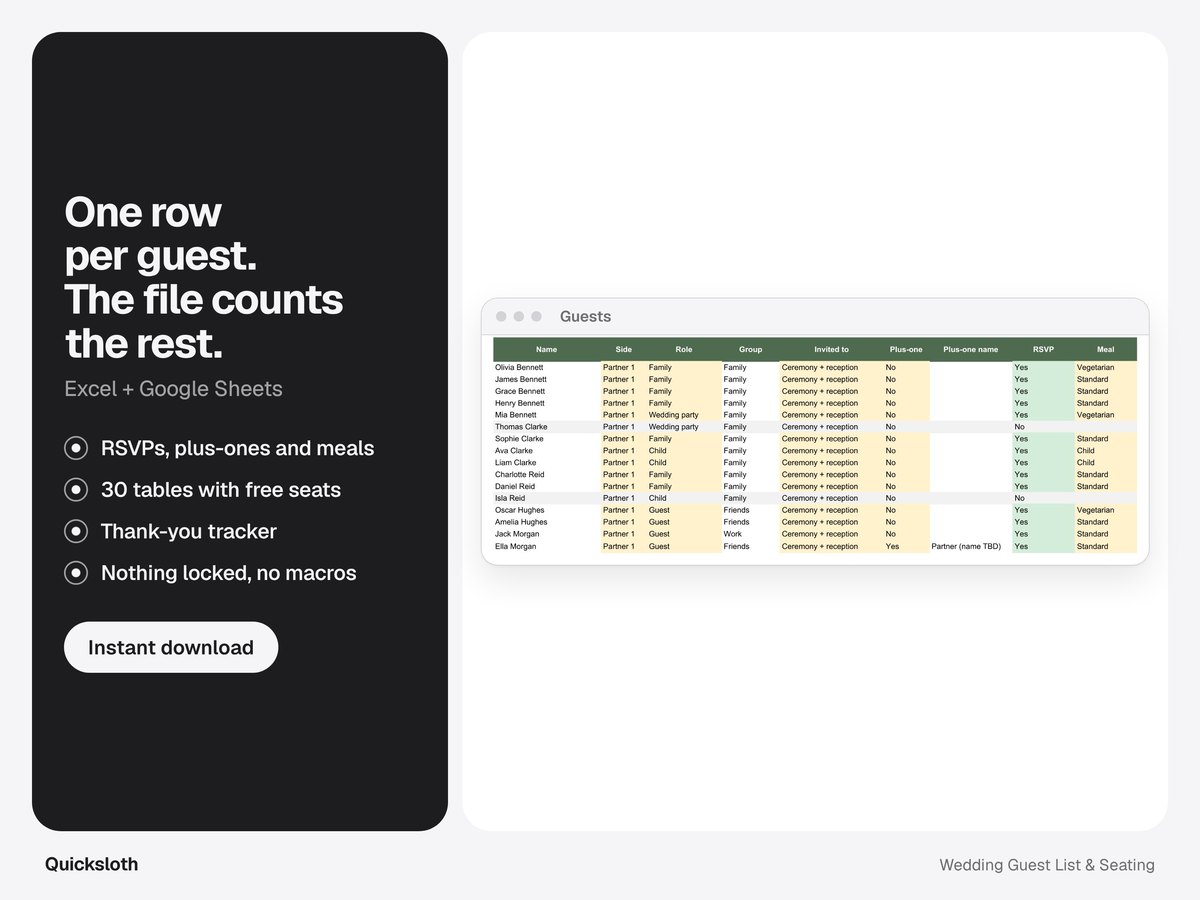
Agree on the rules before the names
An argument about one name is hard to settle; a rule settles it before it starts, because "we said no colleagues" is easier to say than "we didn't invite you". Decide these together, write them down, and apply them to both sides:
- Plus-ones. One clear line: married, engaged or living together gets a named invitation; everyone else comes alone. Whatever you pick, a guest who knows nobody else is a fair exception.
- Children. All children, only family, only the wedding party, or none. "Only family" still needs a line: nieces and nephews, or cousins' children too?
- Colleagues. For example: only the ones you see outside work. Then nobody at the office has to be ranked.
- Parents' guests. If parents are paying, they may want friends of their own on the list. Agree a number per family instead of discussing each name.
- The year rule. If you haven't spoken in a year (or two, or three), they're not on the A list.
Write each partner's side in the Side column from the start: it makes "your side is longer" a number you can look at instead of a feeling.
An A list and a B list
The A list is everyone you'd be upset not to see. The B list is people you'd love to have if there's room. Zola's guide describes the same system: invite the A list first, then send B-list invitations as A-list regrets come in, but not later than 6 to 8 weeks before the wedding, so it isn't obvious who was on the B list.
That timing is tight. In our wedding planning checklist, invitations go out about 16 weeks before the wedding, with the RSVP date 4 to 5 weeks before. If you plan a B list, give the A list an earlier RSVP date, so you know how many seats are free while there's still time for a second round. Otherwise the B invitations would go out after the 6-to-8-week line.
In a spreadsheet, keep the B list off the main list. Our file counts every name on the Guests tab as invited, so a B guest there would already use a seat in the counts. Add a second tab (the + at the bottom left in Excel and Google Sheets) with the same columns, in the order you'd invite them, and move a row to Guests when that person actually gets an invitation. Nobody has to know there was a B list.
What each cut really saves
The usual way to talk about cost per guest is the total divided by the guests: in our example, $25,000 ÷ 70 = $357.14 per guest. That's the "Budget per guest" on the first tab of our Simple Wedding Budget. But taking one person off the list doesn't save $357. The venue, the photographer, the music and your outfits cost the same for 60 people as for 70. What goes down are the lines you pay per head.
In the example budget, four lines are per head. Each one's suggested amount, divided by the 70 guests, is the "Per guest" column of the file:
| Line | Suggested | Per guest (70) |
|---|---|---|
| Catering (food) | $5,000 | $71.43 |
| Drinks & bar | $1,500 | $21.43 |
| Wedding cake | $250 | $3.57 |
| Guest favors | $125 | $1.79 |
| Total per head | $6,875 | $98.21 |
So each person off the list saves about $98. Here is what that means for the cuts this couple could make:
| Cut | People | List after | Saves (× $98.21) |
|---|---|---|---|
| No colleagues | 6 | 61 | $589 |
| No plus-ones | 7 | 60 | $688 |
| Both | 13 | 54 | $1,277 |
Thirteen fewer people save $1,277, about 5% of the budget, not the $4,643 that 13 × $357 suggests. Two things change that number in real life, so check them with your own quotes:
- The real per-head price. The example's caterer quoted $5,880 for 70, which is $84 a head instead of the suggested $71.43, so each cut saves a bit more. If your caterer prices children's meals lower, cutting children saves less.
- Steps, not slopes. A smaller list can let you book a smaller room, fewer tables and a shorter shuttle run. Those savings come in steps: ask the venue and the rental company where theirs are.
The file won't do this subtraction for you: if you lower the guest count, it divides the same total by fewer people, so the per-guest amounts go up. To see a cut, multiply the people you remove by the total of the Per guest column, as in the table above.
Fit the list to the venue
A venue's capacity is a hard limit, and before the replies come in, the number to hold against it is everyone you invite, plus-ones included. In the example that's 67 against 80 seats: it fits, with room for a B list.
Now say the venue they love seats 60. Then 7 people have to go, and the circles show where: the 7 plus-ones (saving $688), or the 6 colleagues and one more name. A whole rule ("no plus-ones unless you live together") is easier to explain than seven separate phone calls.
In our file, the first tab has a cell for the venue capacity. Once replies come in, it shows the seats still free: capacity minus the seats confirmed. In the example, with every reply in, 59 seats are confirmed and 21 are still free. Before the replies, compare the capacity with "People invited" yourself.
How many will say no?
Some invited guests always decline, and you'll read many percentages for how many. The percentages you'll read online we couldn't check against their source, so we don't give one here. Your own guests are a better guide anyway: distance, the date and how many guests have small children change the answer more than any average.
What works is counting your own replies as they come in. Once a good part of the list has answered, divide the No answers by all the answers so far, and apply that share to the people still pending. The Guests tab of our file counts Declined and Pending for you at the top.
Keep the list in a spreadsheet
The list on this page is the example that comes with our Wedding Guest List & Seating spreadsheet, for Excel and Google Sheets: up to 500 guests with side, role, group, invited to and plus-one, the venue capacity and your guest estimate on the first tab, RSVPs, meals, a board for 30 tables and a thank-you column. It's available in our Etsy shop.
The per-head numbers come from our Simple Wedding Budget; if you only need to track what you spend, start with our free wedding budget spreadsheet. Our Simple Wedding Planner has the guest list and the budget in the same file. Once the invitations are out, see how to track wedding RSVPs and how to make a wedding seating chart.
Sources
- Zola, How to Make a Wedding Guest List, by Emily Forrest, updated 1 July 2025, read 4 November 2026: trim the list with the budget as a guide; an A list of guests you absolutely must invite and a B list invited as A-list regrets come in, not later than 6 to 8 weeks before the wedding.
The guests, budget and numbers are made up, from the example files of our Wedding Guest List & Seating and Simple Wedding Budget spreadsheets; the 60-seat venue is a what-if. We used AI tools to help write this article; every count and amount was recalculated from the files with a separate script.